
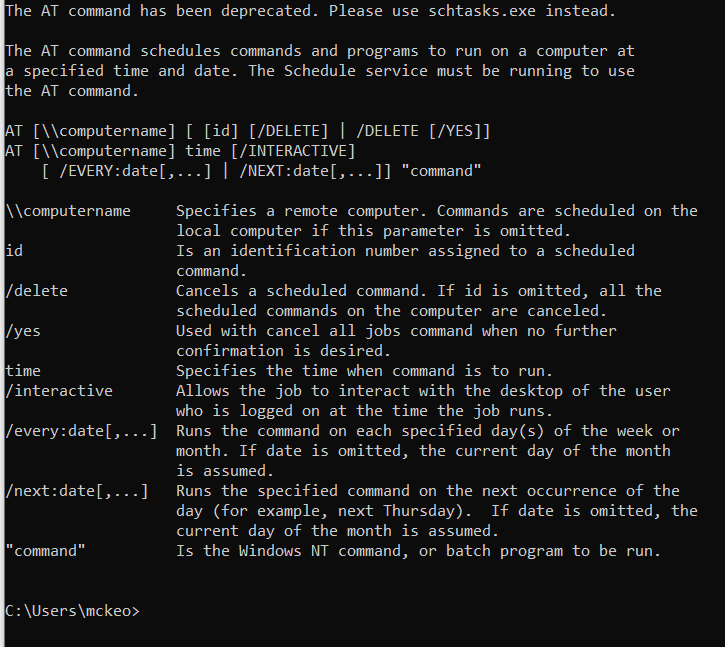
The “at” command can be very useful. Below is just one simple use to schedule a reboot of a Windows 2003 server at a certain time and day. The at […]
You are browsing archives for
Category: command line
Table ‘mysql.servers’ doesn’t exist
Came across this little issue while trying to install Centreon (monitoring server). During the install it attempts to create a database use and then failed during that process with the […]
How to change timezone on Centos 5
Here is a short quick one that may help someone. This will change the time zone to EST Run from a command line date Then run ln -sf /usr/share/zoneinfo/America/New_York /etc/localtime […]
It Fixed it for me – Windows Update Not Working
I recently had a client pc brought to me that would not run Windows Updates. I initially though it was Malware or Spyware or Virus related so I was a […]
How to find linux version?
This is just a quick post about a command I recently had to look up as I was new to SUSE Linux. To find your current Suse Linux version open […]
How to Extend any Windows2008 Disk Partition
I had the need today to extend a Windows 2008 Server disk partition to add the rest of the unused hard drive space to the C: drive. A collegue of […]
Symantec Netbackup Helpful Command – robtest
In working with Symantec Netbackup I have put together a few command line tools that I use frequently to move tapes around the tape library. The first one is “robtest”. […]
Some Helpful Command Line Tools
Here are a few command line checks that a colleague of mine sent to me. I believe he put them together from several other places so I figured I would […]
BitLocker Helpful Commands for Remote PCs


Here are a couple of BitLocker drive encryption commands that I thought I would mention. I realize that there are many posts about encryption so I will add my two […]
It Fixed it for me – NTLDR Missing
I recently had a client bring a Windows XP Pro laptop to me that would not boot. Upon start up it would immediaty display the following error. “NTLDR is missing […]